Beta Version
If you have any questions or issues, please contact our support, preferably through the Shopware platform. Although we have thoroughly tested the plugin, unforeseen errors may occur due to your specific system environment. We appreciate your feedback to help us improve the plugin further!
Introduction
E-invoices (electronic invoices) are digital documents that contain structured data in a standardized format. They enable automated processing without manual intervention. With the introduction of e-invoicing requirements in many countries, including Germany (from 01.01.2025) in accordance with EU Directive 2014/55/EU, companies are required to use electronic invoices for transactions with public contracting authorities.
The goal of e-invoices is to make the invoicing process more efficient, transparent, and environmentally friendly. Standardized formats such as ZUGFeRD or XRechnung ensure compliance with legal requirements and facilitate integration into existing IT systems. This transition marks an important step towards digital transformation and modern business communication.
ZUGFeRD VS XML
ZUGFeRD (Zentraler User Guide des Forums elektronische Rechnung Deutschland) is a standard format for electronic invoices that combines both a human-readable PDF and a machine-readable XML file. It enables companies to create, send, and process invoices more efficiently.
XML e-invoices, on the other hand, consist exclusively of a structured XML file that is machine-readable and does not include direct integration into a PDF.
Difference:
ZUGFeRD combines PDF and XML in one file (hybrid), while XML e-invoices contain only machine-readable data and do not provide a visual representation.
New Configuration Options
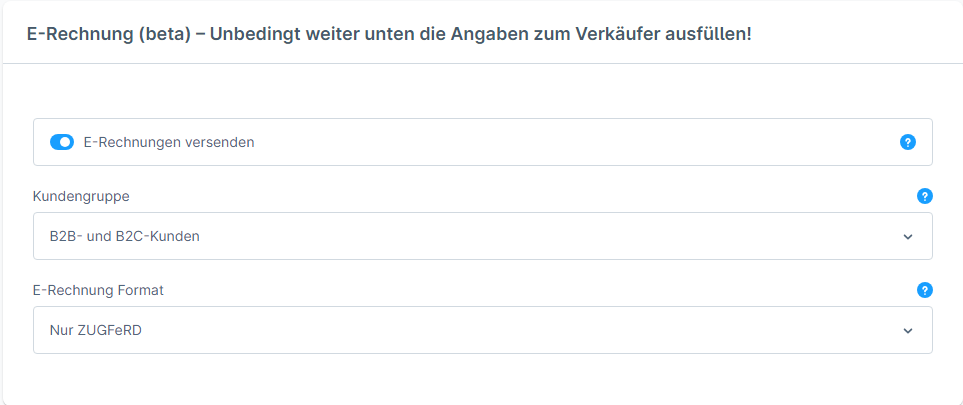
Option | Description |
|---|---|
Send E-Invoice | Once this option is enabled, normal invoices in the email to customers specified in "Customer Groups" will be replaced by e-invoices. |
Customer Groups | To use this setting effectively, you must enable "Show selection between business and customer account" under Settings → Shop → Login & Registration. |
E-Invoice Format | Choice between the two e-invoice formats. |
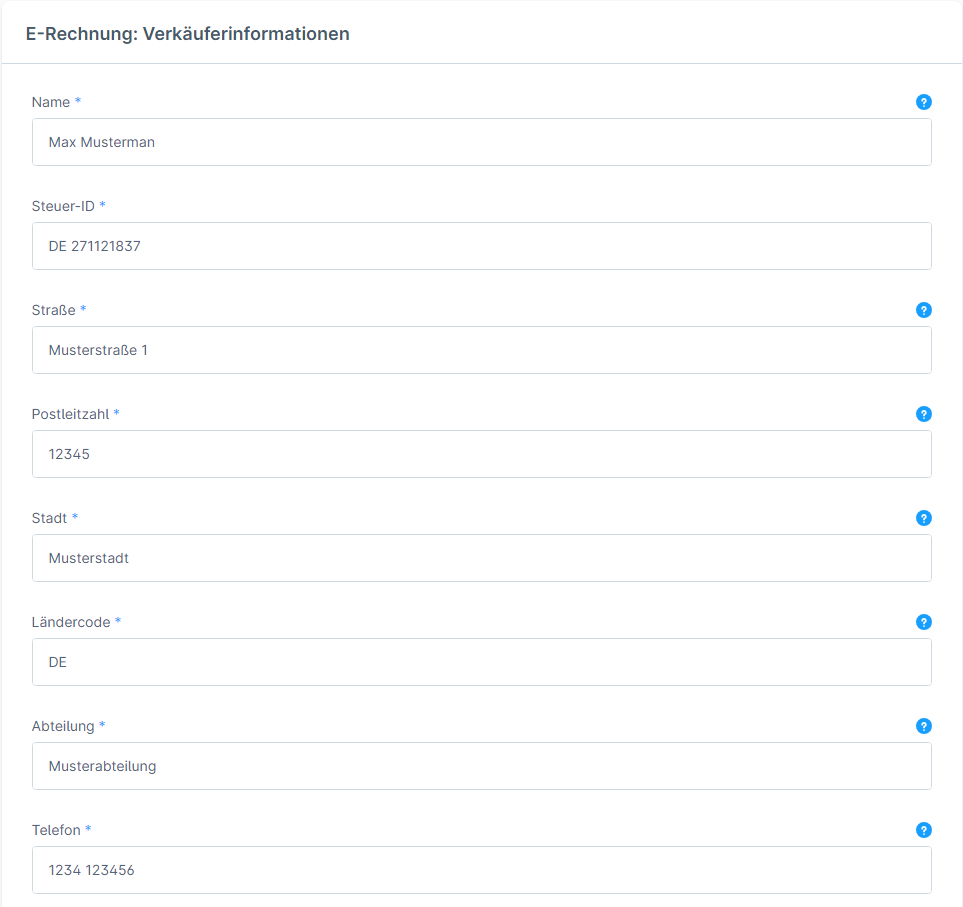
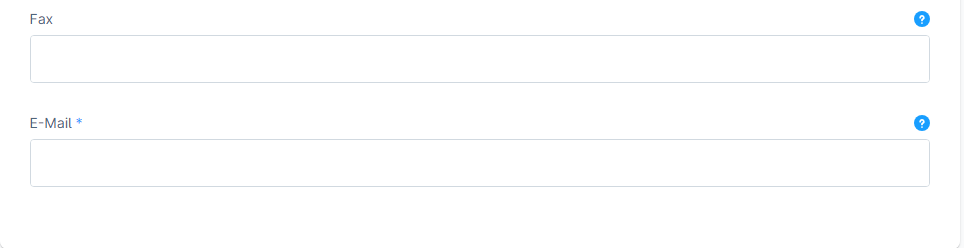
All fields marked with a blue asterisk must be completely and correctly filled in, otherwise the generated e-invoice will not be valid.
Only the fax number is not absolutely necessary.
Glossary
B2B: Business To Business → Sales to business customers
B2C: Business To Customer → Sales to private customers