To configure, navigate in the Shopware admin area to Extensions -> My Extensions -> Virtual Variants.
Basic Settings (from v2.2.0)
| Option | Description |
|---|---|
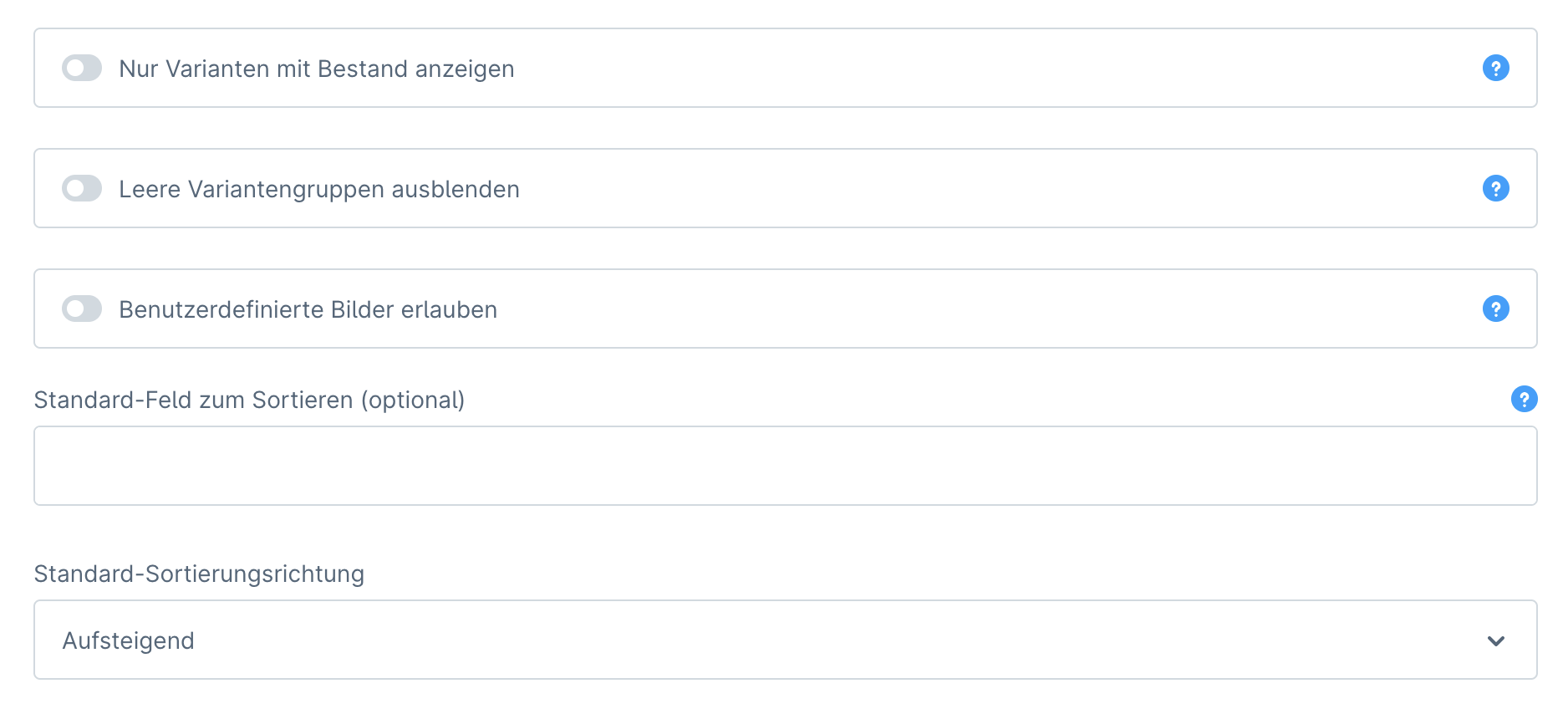
| Show only variants with stock | If this field is enabled, only variants with stock > 0 will be displayed in the storefront. |
| Hide empty variant groups (from v2.2.2) | If enabled, variant groups will be hidden when no further variant products are available. |
Allow custom images (from v2.3.0) | If enabled, the variant images can optionally be replaced with custom images using the 'fgits_variantmatcher_media_id' custom field. In this custom field, either image ID (media field/text field custom field type) or image position (text field custom field type) can be entered per product. |
| Default field for sorting (optional) | Here you can enter a column name that will be used by default for all variant groups to sort variants (see option Field for sorting below). |
| Default sort direction | In this field you can select a sort direction that will be set by default for all variant groups (see option Sort direction below). |
Variant Groups
| Option | Description |
|---|---|
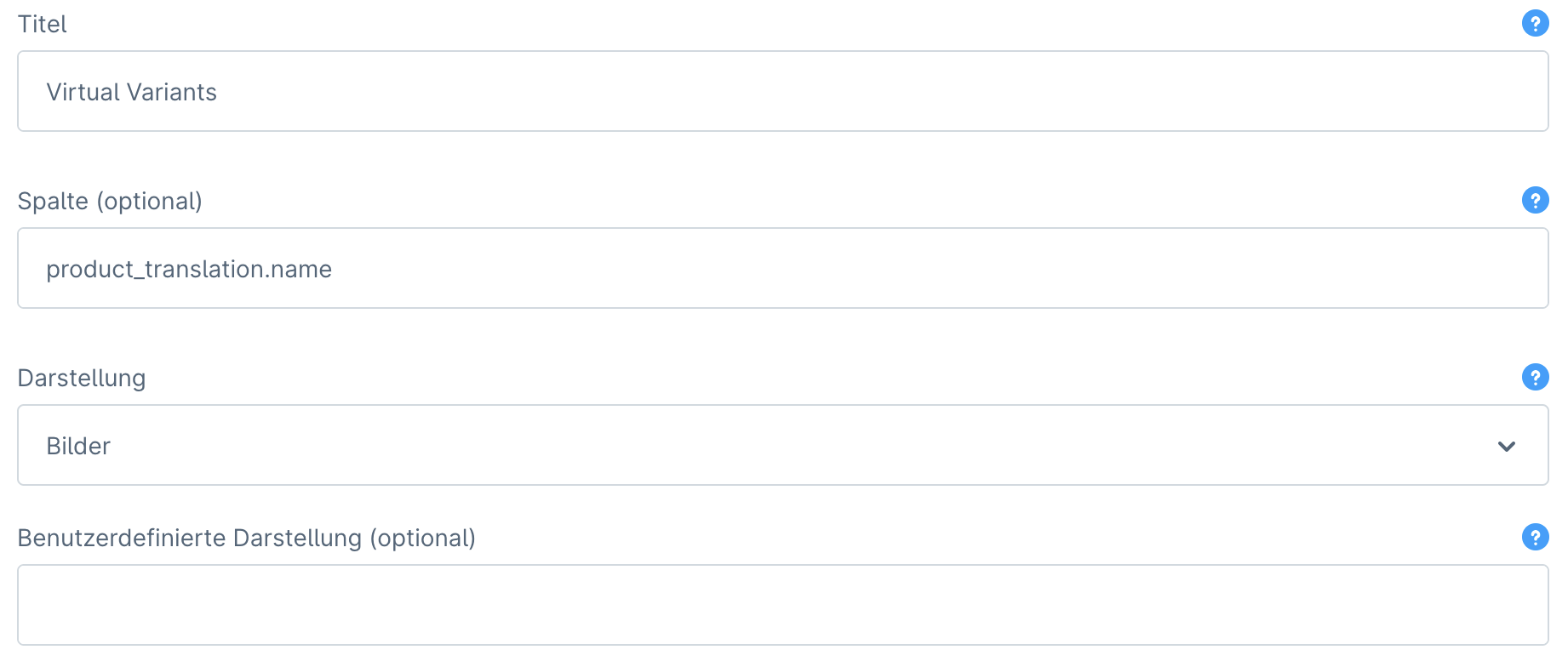
| Title | Enter the name of the group here, which will be displayed above the graphical representation in the storefront. From v2.2.3, text modules can be used. |
Column (optional) (from v2.2.0) | Here you can enter the DB column name (e.g. product_translation.name or simply name) to automatically link the products. The tables product and product_translation are supported. From v2.2.4, products can also be linked via custom_fields. This option has higher priority than manual linking via reference number. |
| Display | Here you can choose whether the variants should be displayed as images or as a list. |
| Custom display (optional)* (from v.2.2.6) | Here you can display the variants as formatted free text. Simple product properties (i.e. no objects like price, etc.) and product custom fields ('custom_fields' from 'product_translation' table) are accepted. HTML with 'inline' CSS styles is supported for formatting. This option is available when Images is selected as the display. |
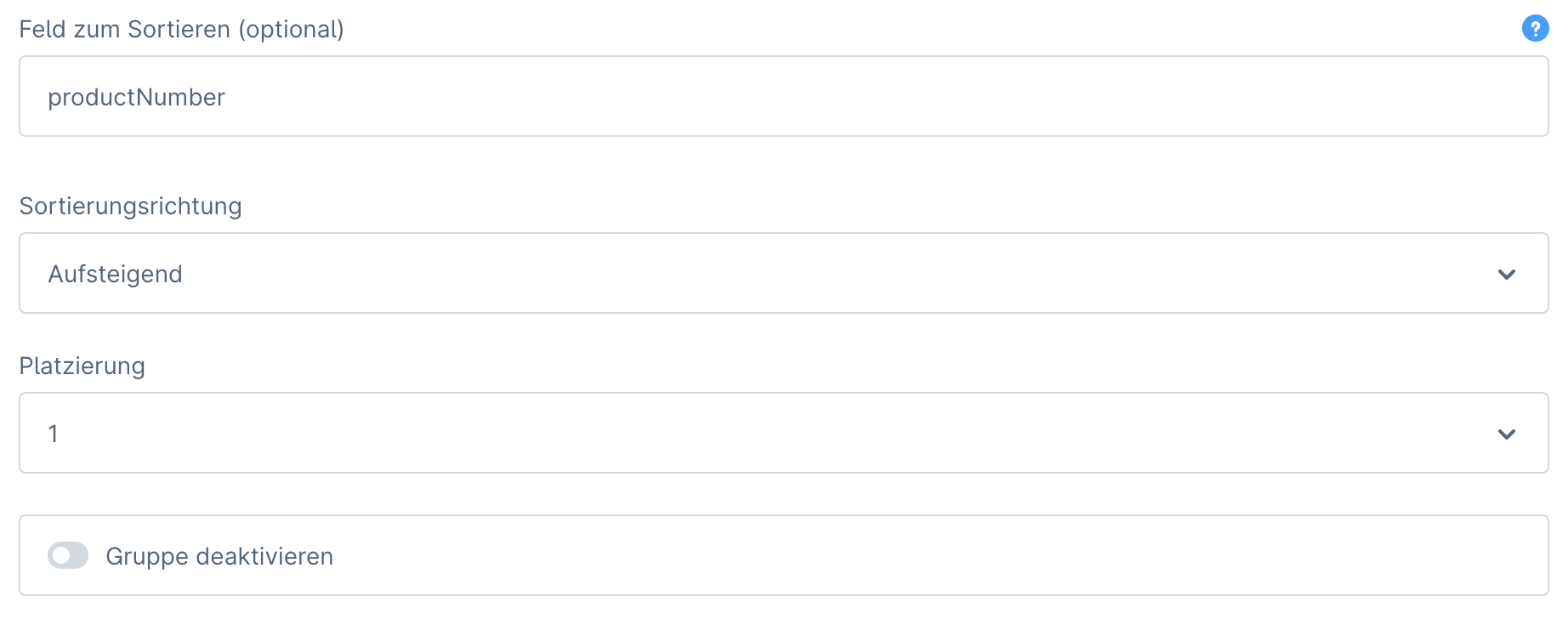
| Field for sorting (optional) | Here you can enter a column name from the database table product or product_translation to sort variants. The column name can be written in two ways, such as productNumber or product_number. Sorting by custom_fields is not supported. This option has higher priority than Default field for sorting. |
| Sort direction | In this field, select whether the variants should be sorted in ascending or descending order. |
| Placement (from v2.2.0) | Here you can specify the order in which the variant groups should be displayed in the storefront. |
| Disable group (from v2.2.0) | Here you can disable individual groups. |