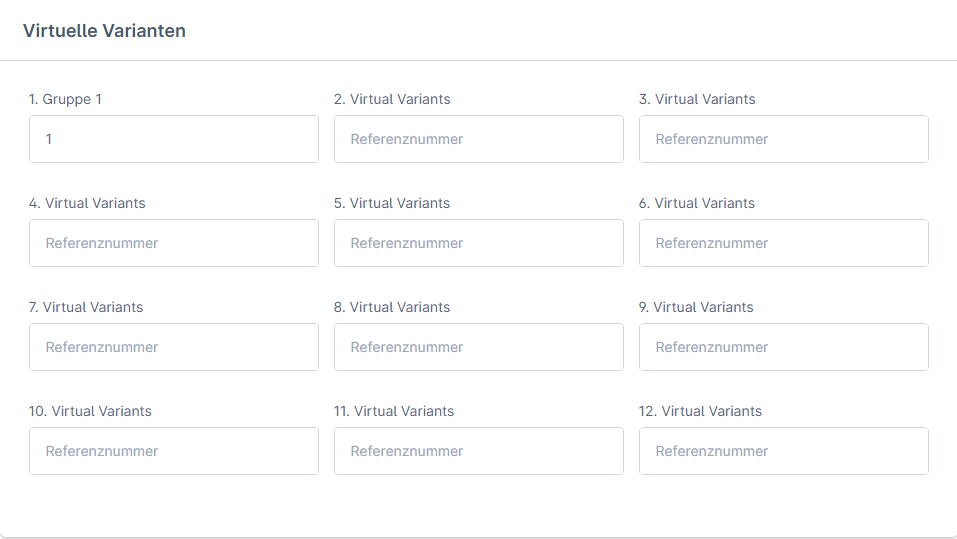
After installing the plugin, navigate to Extensions → My Extensions → Virtual Variants
Here you will find all configuration options for the plugin. For detailed documentation of the individual settings, please visit the corresponding wiki page: https://golle-it.atlassian.net/wiki/spaces/WIK/pages/403175265/Konfiguration?atlOrigin=eyJpIjoiYzFjZDBiYzU4OThmNDlhNjlmNzhjYzU2MGU2ZmMwMTciLCJwIjoiYyJ9
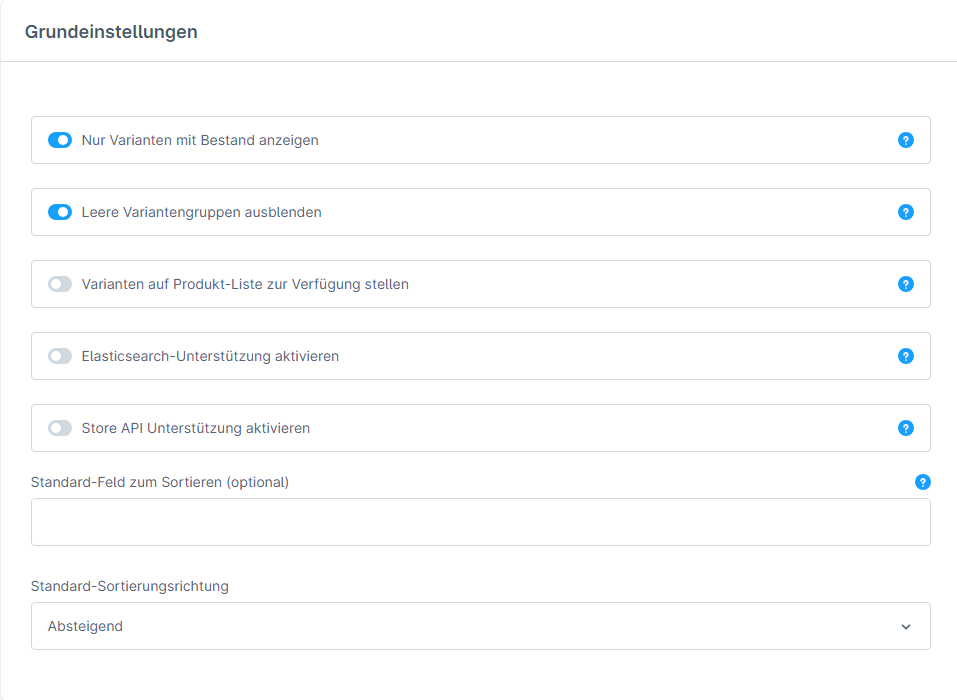
Shown here is one of the 12 variant groups. If you adjust the title of this group, the name of the variants will be changed as shown in Figure 3.
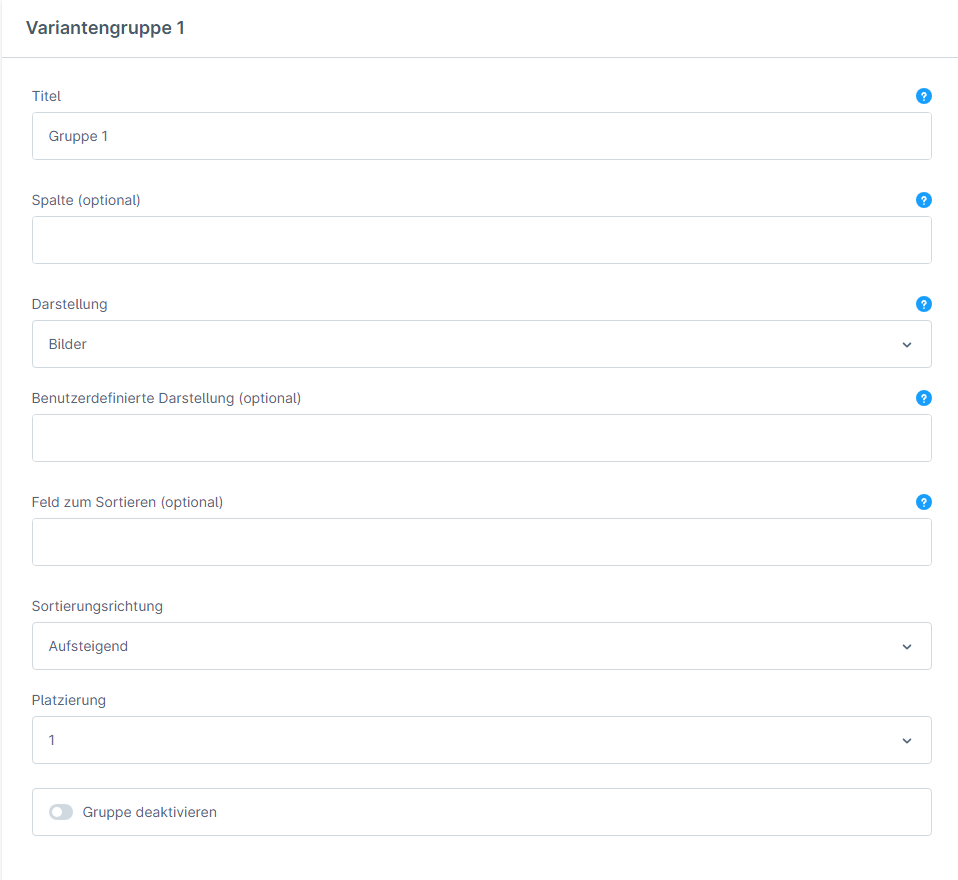
In the following image, actual physical variants are set up under "Colors" and virtual variants are set up under "Group 1".
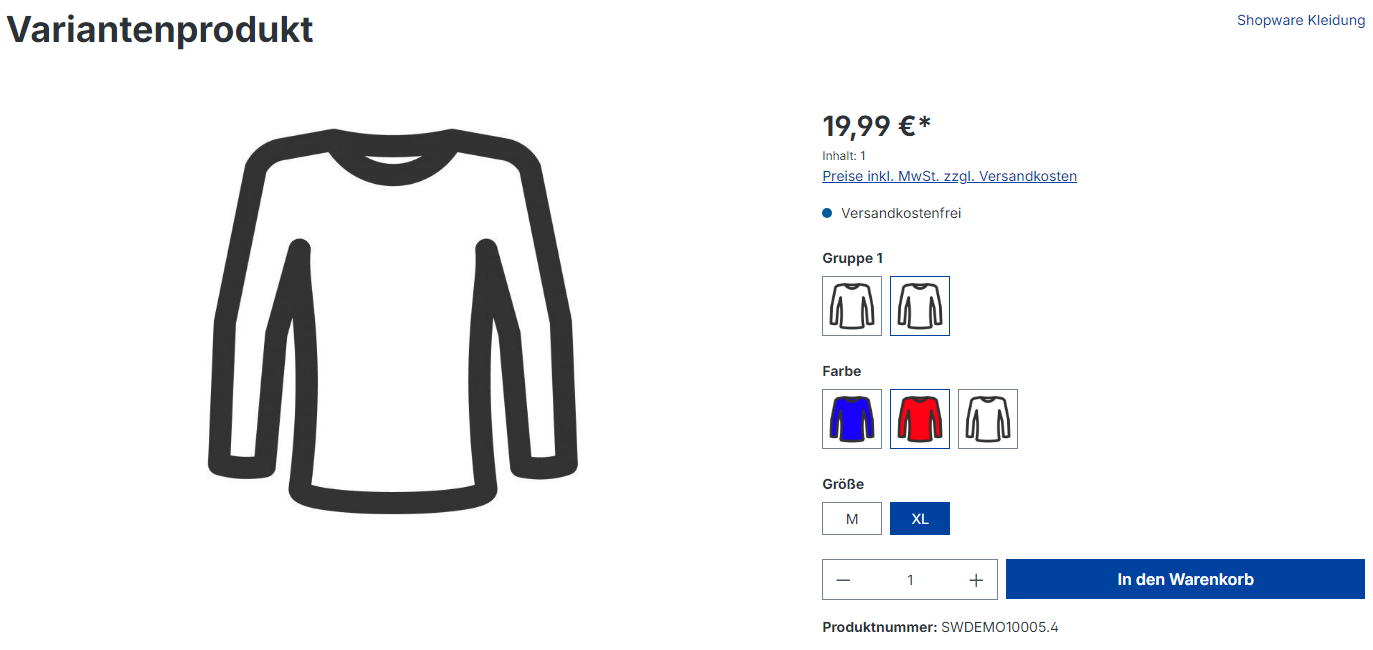
In the settings of the products you have entered, you can now link different items together. The reference numbers can be chosen freely, but especially if your online shop requires a larger number of virtual variants, it makes sense to choose meaningful designations here.