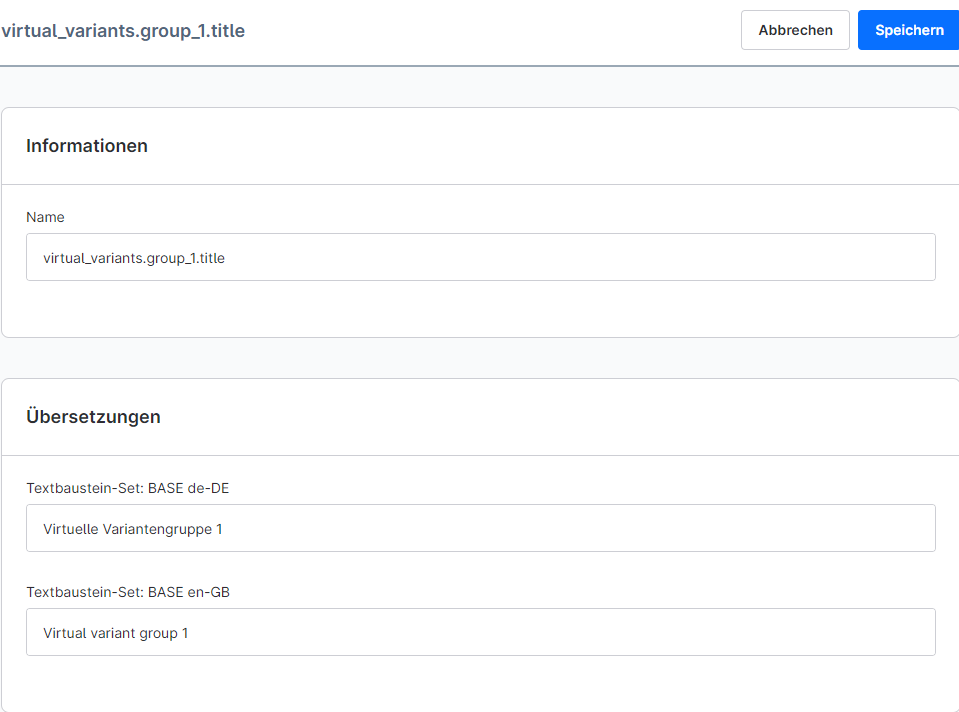
To translate the title of a virtual variant group, a text module must be created for it, which can then be translated for all languages activated in the shop.
The screenshots used are from Shopware 6.7.1.2. In other Shopware versions, the menus might look slightly different, but the approach and functionality should be the same.
Here is a step-by-step guide to the process:
Assign a title to the virtual variant groups you want to translate following this pattern: "virtual_variants.group_{n}.title"
Navigate to Settings → Regional → Text modules and create text modules for each variant group you want to use or translate.
Select "virtual_variants.group_{n}.title" as the name
Next, add the appropriate translations for the languages you use to the different variant groups
Finally, the Shopware cache must be cleared
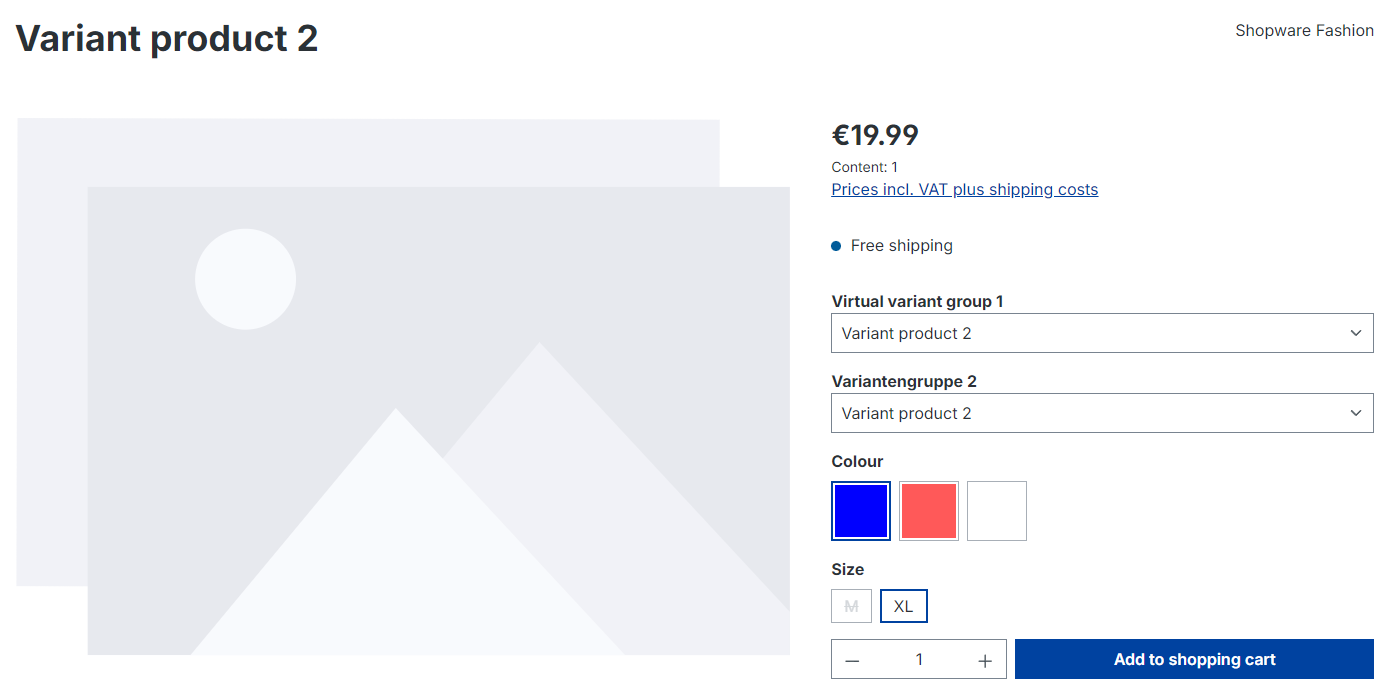
Result (adjustment was made here only for variant group 1):