After installation, you can find the plugin settings under Settings -> Basic Settings -> Further Settings -> Shopware Tickets.
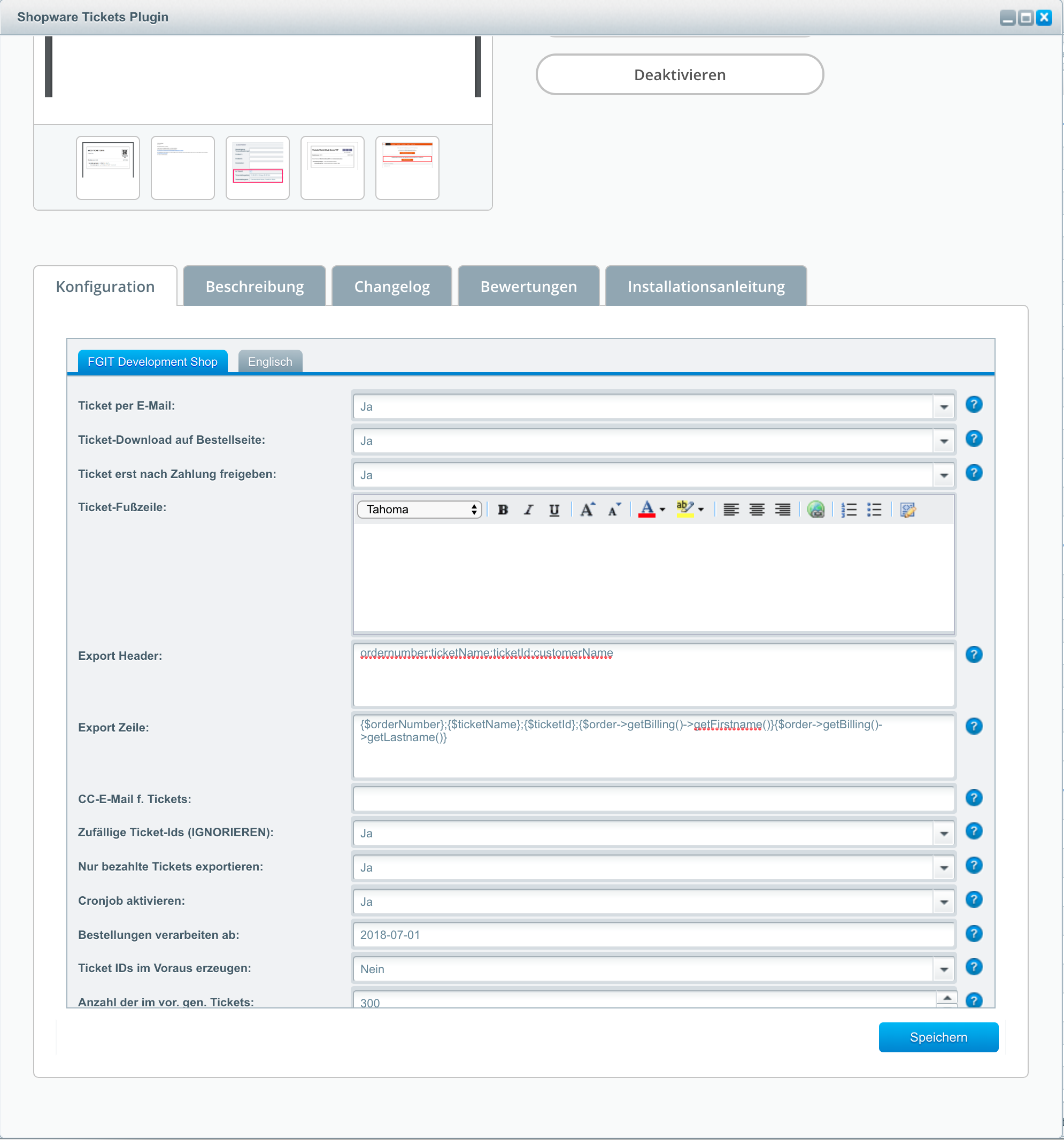
Explanation of Configuration Settings
Tickets per Email: Send tickets to the customer after order completion.
Ticket Download on Order Page: Enables ticket download directly after ordering on the order confirmation page.
Release Ticket After Payment: When this option is active, the ticket is only made available to the customer after successful payment (payment status "Fully Paid").
Ticket Footer: Enter, for example, your company name and address in the footer.
Export Header: Enter the header of the export file (e.g., column names).
Export Line: Line template for ticket export. Specify the variables to be exported here. For detailed information on ticket export, see .
CC Email for Tickets: Tickets are sent in CC to this email address(es). Separate multiple addresses with commas.
Random Ticket IDs (IGNORE): This option is no longer considered; it is only for compatibility with version 1.0.
Export Paid Tickets Only: Include only paid tickets in the CSV export.
Enable Cronjob: Enables the integrated cronjob for sending ticket emails to customers.
Process Orders From: All orders after this date will be automatically processed. Please use the format YYYY-MM-DD HH:MM:SS.
Generate Ticket IDs in Advance: When this option is enabled, a cronjob generates sufficient ticket IDs in advance and stores them in the database. When tickets are purchased, these ticket IDs are then assigned to specific tickets.
Number of Tickets Generated in Advance: Number of tickets to be generated in advance when the option "Generate Ticket IDs in Advance" is enabled.