By default, two email templates in German are created when the plugin is installed. You can edit these templates under Settings → Email Templates → User Emails.
Two templates are included:
| Name | Description |
|---|---|
| sAUTOINVOICECUSTOMER | The email in which the invoice is sent directly to the customer |
| sAUTOINVOICEADMIN | The email that is sent to the shop operator with invoice copy and delivery note. |
These email templates are customized in the same way as other system emails.
In plugin version < 4.0.0, the email templates are located under Settings → Email Templates → System Emails
1. Available Variables
Please note that the usable variables of the two email templates of the plugin do not match 100% with those of Shopware's own system emails. You can view the list of available variables on the right via "Variable information":
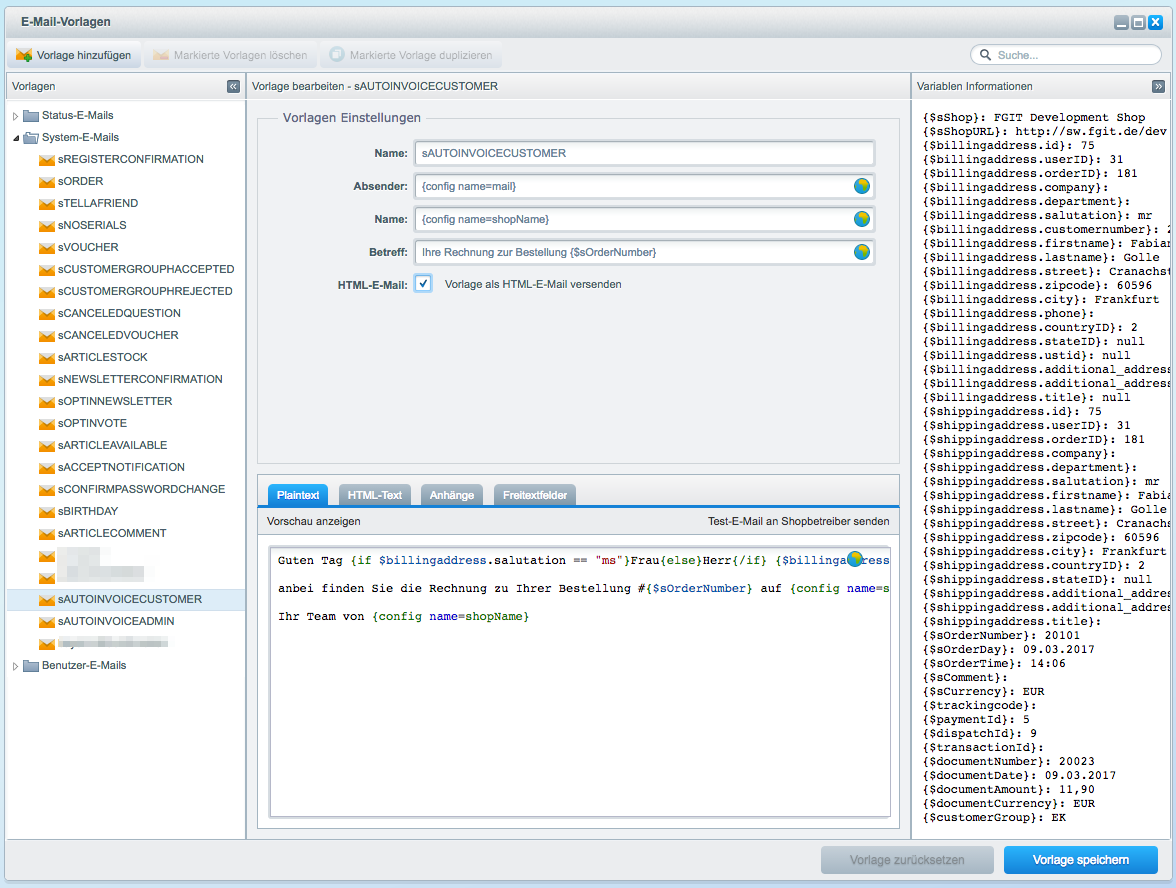
(Click to enlarge)
2. Translation of Templates
You can translate any part of the email templates at any time by clicking on the globe icon.
Related articles
Related articles appear here based on the labels you select. Click to edit the macro and add or change labels.
| Related issues |
|---|