Problem
The button for manual invoice dispatch is not displayed.
Troubleshooting
1. Button placement
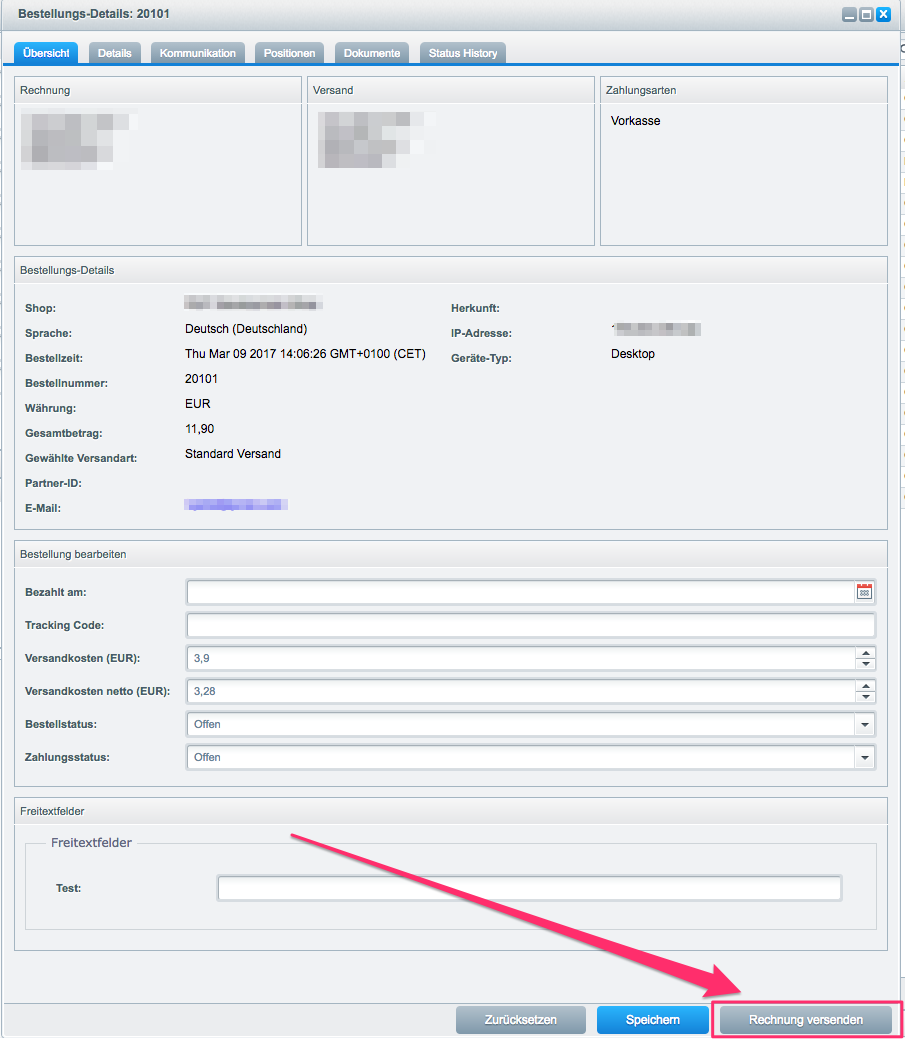
You can find the button in the order details view in the backend. To do this, open the Shopware backend and click on Customers → Orders. Select an order here and click on the edit pencil.
You can find the button for invoice dispatch at the bottom right:
2. If the button is not displayed
If the button is really not displayed, perform the following steps:
Check whether the plugin is enabled.
Please clear all caches.
It is possible that another plugin overwrites the position of the invoice button. Please disable all other third-party plugins and clear all caches.
Advanced Troubleshooting
If the steps mentioned above cannot resolve your issue, read the article on Advanced Troubleshooting.