When you edit an article in the backend, you will find three new options under the additional fields: "Is Ticket?", "Event Date" and "Event Location".
To do this, go to Articles → Overview → click on the yellow edit pencil on the right side 
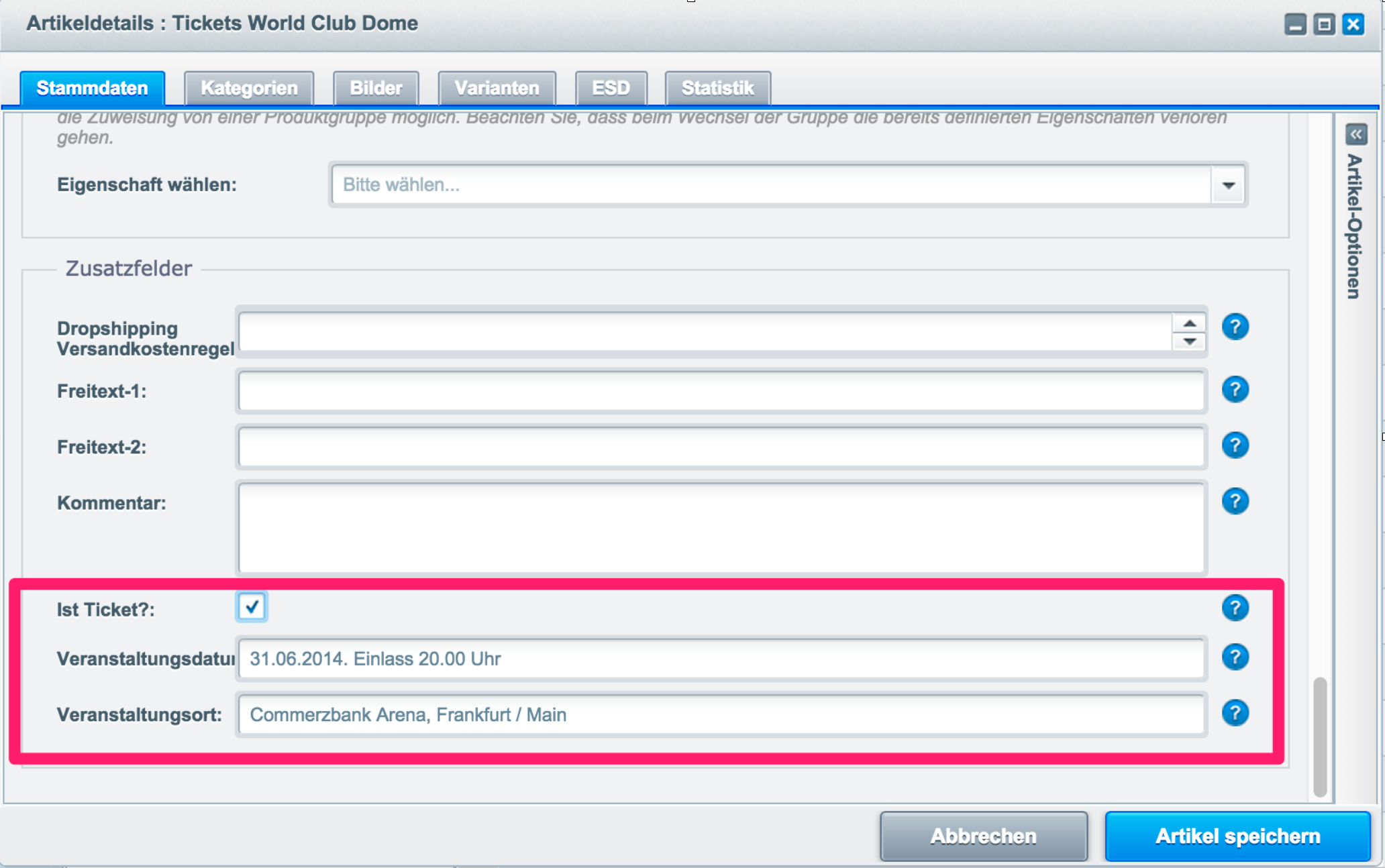
Using the "Is Ticket?" checkbox, you can mark an article as a ticket. Once marked, a PDF ticket is automatically generated for the article after payment, which the customer can download and print. The other two fields are also displayed by default in the PDF ticket.
If you create a subdomain in your shop, please do not name it /tickets, as this would prevent our plugin from functioning correctly.
Related Articles
Related articles appear here based on the keywords you select. Click to edit the macro and add or change keywords.
| Related Processes |
|---|